


Merc 95 XRI 150 Alarm Troubleshooting: Constant Beep After Water Immersion?
- What That Constant Beep Actually Means
- First Check: Oil System After Submersion
- Systematic Sensor Disconnect Test
- Check for Mechanical Oil Pump Failure
- Inspect Wiring and Grounds for Water Damage
- Water in the Fuel Filter
- When the Alarm Module Itself Fails
- Parts You'll Likely Need
- Real Example from the Forums
- Temporary Premix Workaround
- What Not to Do
- FAQ
- Next Steps After Diagnosis
If your Mercury 150 XRI is screaming a constant beep after water immersion, you've got a problem that needs immediate attention. After 20 years wrenching on outboards, I can tell you that water and outboard electronics don't mix, and that alarm is usually telling you about sensor damage or oil system contamination—not necessarily a dying engine.
The constant beep on these 1990s Mercury 2-strokes after submersion typically points to three things: water in your oil reservoir tripping the float switch, corroded sensor wiring causing false alarms, or a genuinely low oil level because water displaced the oil. Let's walk through how to diagnose this systematically.
What That Constant Beep Actually Means

Your Mercury 150 XRI uses a simple alarm module that monitors several inputs: oil tank level (blue wire), engine temperature (tan/brown wire), oil pump motion sensor (white/blue wire), and the switchbox (green wire). When any of these circuits ground out or report a fault, you get that relentless beeping.
After water immersion, moisture wreaks havoc on these circuits. Corrosion forms fast on terminals, water can wick up into wiring looms, and the oil reservoir itself might contain water that throws off the float switch. The alarm cadence—whether it's a steady tone or BEEP-BEEP-BEEP pattern—doesn't always tell you which system is faulting on these older models, so you'll need to isolate the cause manually.
First Check: Oil System After Submersion
Water immersion often forces water into the oil tank through vents or fill caps. Start here because it's the most common culprit and the easiest to verify.
Drain and inspect your oil reservoir. Pull the line off the bottom of the engine-mounted tank and drain it into a clear container. If you see water separation or milky oil, that's your problem. Water in the oil tank will either sink to the bottom (triggering the float switch incorrectly) or contaminate the oil enough that the pump struggles to function properly.
Top off the engine-mounted tank completely. Mercury specifies this tank must be 100% full with zero air space. If there's any air gap after immersion, the float switch can give erratic readings. Use quality TCW3 2-stroke oil and fill until oil reaches the cap threads. If you're running a remote tank, keep it at 80% max—never fully fill the remote.
Bleed the oil injection system. After draining or refilling, air gets into the lines. Find the small bleed screw on the oil pump (usually a flathead on the pump body near the bottom) and crack it open while manually rotating the pump drive shaft with a 5/16" Allen key. Keep turning until you see bubble-free oil coming out, then snug the screw. This step is critical—air in the system will trigger the motion sensor alarm even if everything else is fine. For detailed oil injection maintenance procedures, see our Two-Stroke Oil Injection Troubleshooting Guide.
Systematic Sensor Disconnect Test
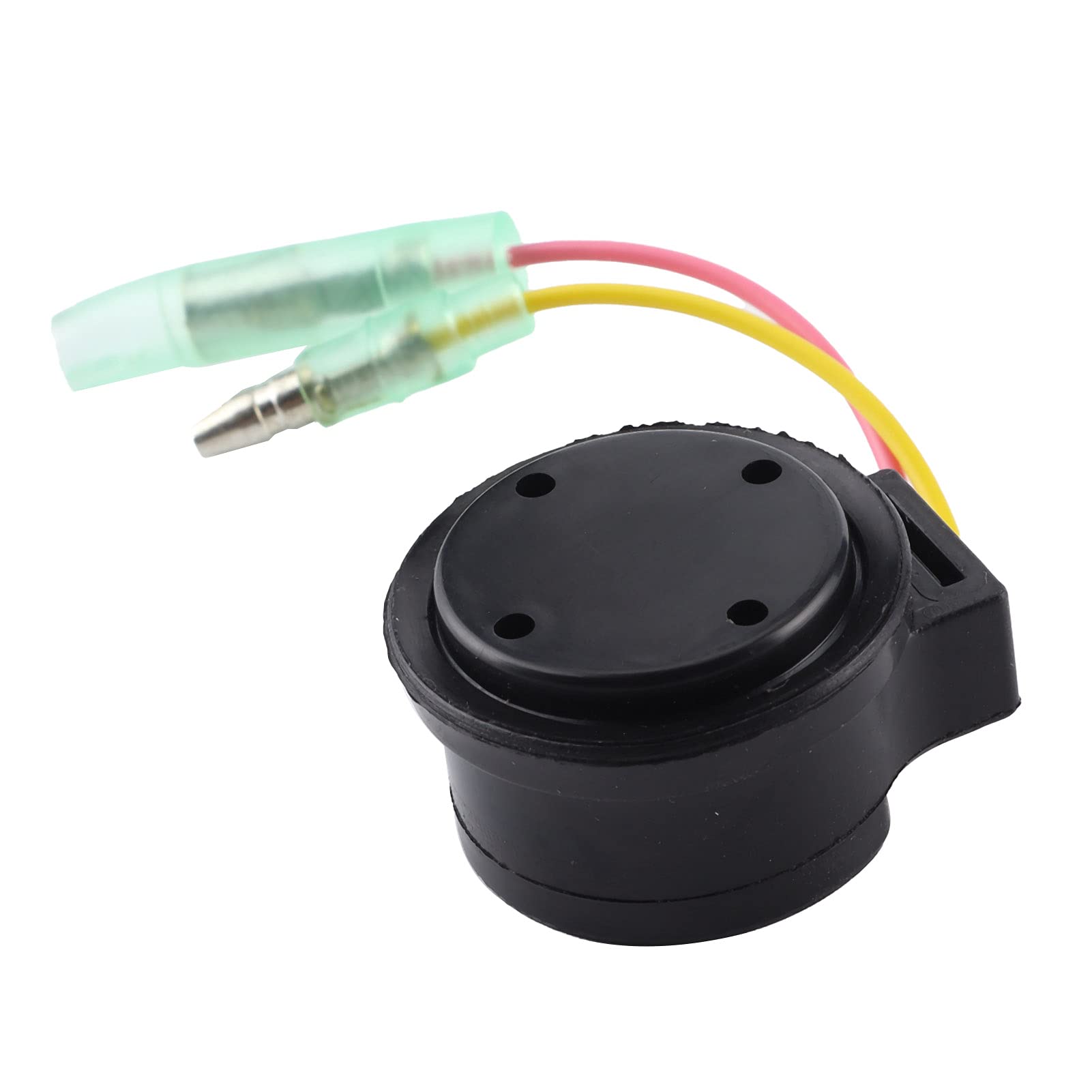
This is the diagnostic method recommended by Jim Hebert, a marine electronics expert with over 55 years of experience. It's brutally simple but effective.
Locate your alarm module—it's typically a small black box mounted on the engine block or inside the electrical junction near the powerhead. You'll see several single wires plugged into it.
Disconnect the oil tank float switch wire first (blue wire). Does the alarm stop? If yes, your float switch is either stuck, corroded from water intrusion, or there's still water in the tank affecting its operation. You've found your issue.
If the alarm continues, reconnect the blue wire and pull the temperature sensor wire (tan or brown). Alarm stops now? Then either your temp sensor is shorted (common after submersion due to corroded terminals at the sensor or along the wire path) or there's a ground fault in that circuit. Check the sensor connector at the cylinder head and the wire routing near the lifting eye and block grounds—these spots corrode first after water exposure.
Still beeping? Try the oil pump motion sensor wire (white/blue). This sensor monitors whether the oil pump shaft is actually turning. If water got into the sensor or its connector, or if submersion damaged the plastic crankshaft drive gear that spins the pump, this circuit will fault. Disconnect it. If the alarm quits, you need to inspect the oil pump drive mechanism—that plastic gear is a known failure point on these engines and water intrusion can accelerate its demise.
Last, disconnect the green switchbox wire. If this stops the alarm, you've got an ignition-related fault, though this is less common post-immersion.
Check for Mechanical Oil Pump Failure
Water immersion doesn't usually strip gears directly, but if your engine ingested debris or if there was existing wear, the shock of submersion can finish off a weak component.
Access the oil pump. You'll need to pull the lower unit to get at it properly. Once exposed, try rotating the pump drive shaft manually with a 5/16" Allen key. It should turn smoothly with some resistance. If it spins freely with zero resistance, the plastic drive gear on the crankshaft has stripped, and the pump isn't being driven. This will trigger a constant motion sensor alarm because the sensor detects no rotation. For guidance on removing and servicing the lower unit, refer to Outboard Lower Unit Repair: Salvaging Impeller Shafts & Identifying Short vs. Long Shafts.
Replacing that gear means splitting the case on most of these engines—it's a top-end tear-down job. If you're not comfortable with that, this is when you call a Mercury mechanic. Don't keep running the engine if the oil pump isn't turning; you'll seize the powerhead in minutes.
Inspect Wiring and Grounds for Water Damage
Even if disconnecting a sensor stops the alarm, don't just assume the sensor itself is bad. Water immersion corrodes connections faster than anything else.
Trace the wire for the faulting sensor from end to end. Look for green corrosion on terminals, chafed insulation where the wire passes through grommets or rubs against the block, and especially check any crimp connections or grounds. The ground near cylinder #1 on the block is a common trouble spot—if that ground corrodes and makes intermittent contact, it can ground the temp sensor circuit and trigger a false overheat alarm even when the engine is stone cold.
Pull apart every connector on the suspect circuit. Spray them out with electrical contact cleaner, let them dry, and apply dielectric grease before reconnecting. If terminals are heavily corroded, cut them off and crimp on new terminals. Don't halfass this—a bad connection will leave you dead in the water again next trip.
Water in the Fuel Filter
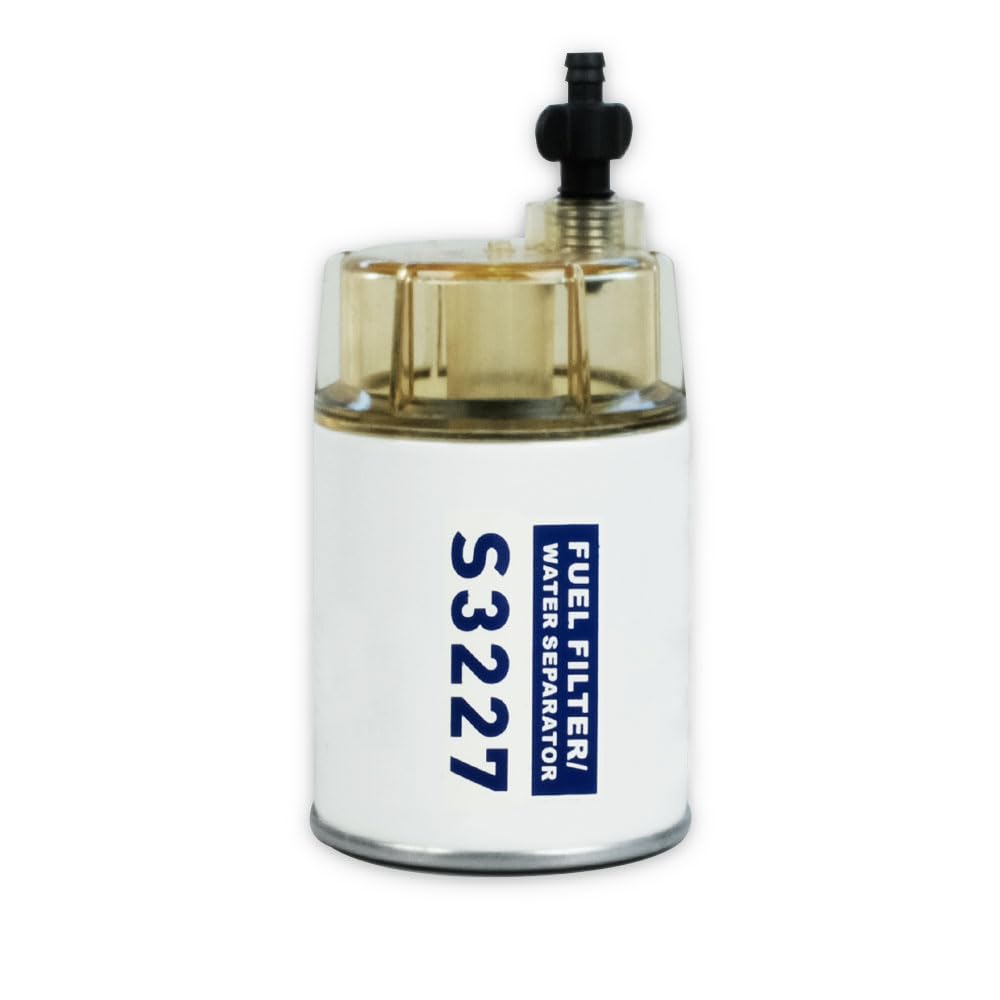
While you're diagnosing, pull your high-pressure fuel filter and check for water separation. After submersion, water can get into the fuel system through the tank vent or filler cap. Water in the fuel won't directly cause the constant beep, but it'll cause rough running or stalling, and if you're already troubleshooting post-immersion, you might as well verify the fuel is clean.
If you see water droplets or a distinct layer in the filter bowl, drain the tank, replace the filter, and pump fresh fuel through the system before running the engine hard. You can find quality fuel filters and related components in the Fuel Filter collection for reliable replacements.
When the Alarm Module Itself Fails
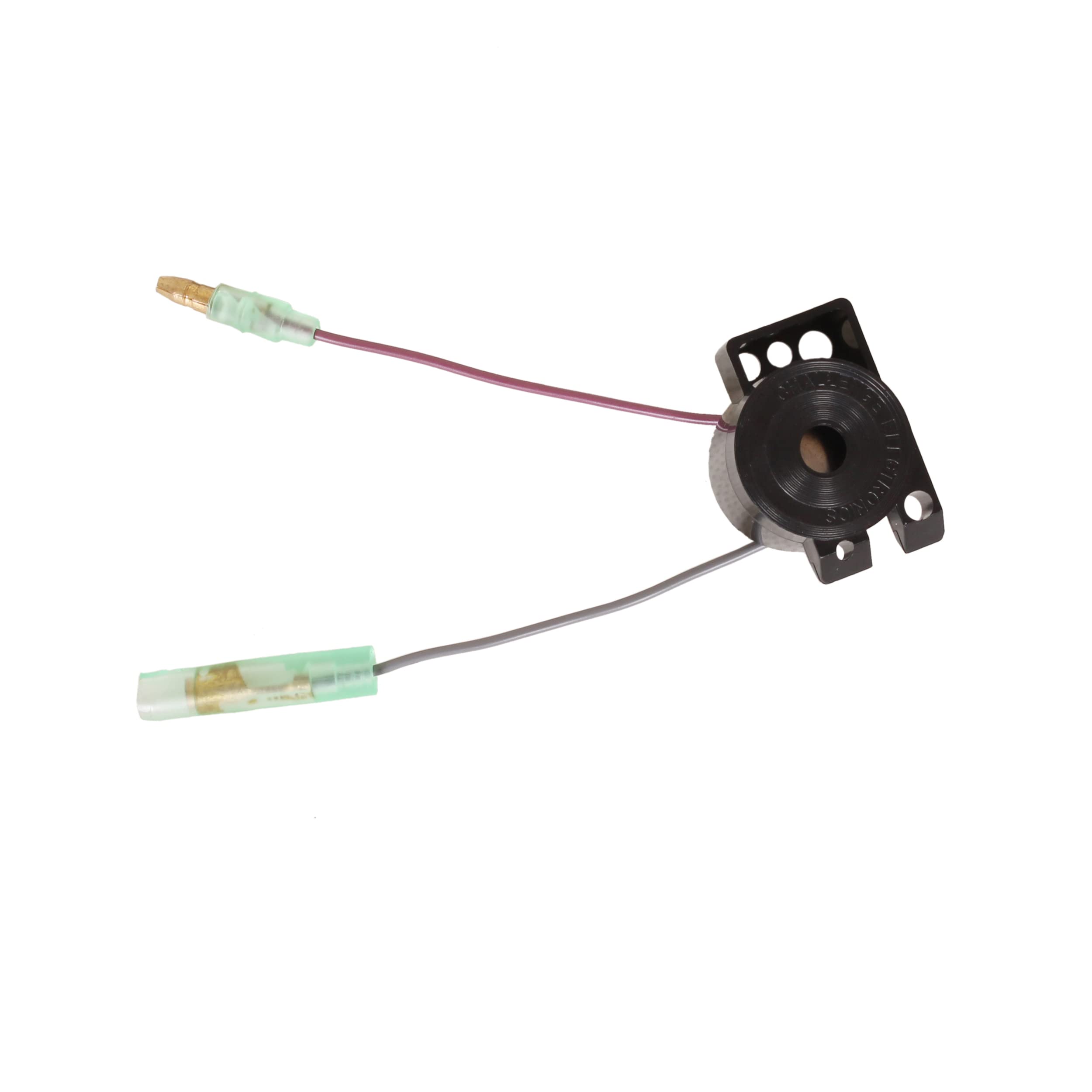
If you've disconnected every sensor wire one-by-one and the alarm still beeps with all sensors unplugged, the alarm module itself has failed. Water intrusion or corrosion inside the module can cause it to trigger constantly regardless of inputs. These modules do fail on 1990s XRI models, especially after submersion.
Replacing the alarm module is straightforward—it's usually held by two screws. Mercury part numbers vary by serial number, so reference your engine's tag. Non-OEM modules are hit-or-miss; some work fine, others cause new electrical gremlins. For a component this critical, spending the extra on an OEM or a reputable aftermarket brand avoids headaches. Browse the Mercury Parts collection to find genuine alarm modules and compatible components.
Parts You'll Likely Need
After water immersion, you'll often need to replace a few components. Based on what you find during diagnosis, here's what to have on hand or order:
- Oil reservoir float switch – If the blue wire disconnect stopped the alarm and the float is corroded or stuck.
- Temperature sender – If the tan/brown wire was the culprit and the sensor tests faulty or the terminal is too corroded to salvage.
- Oil pump rebuild kit – If the pump itself shows wear or you found water contamination inside the pump housing.
- Crankshaft drive gear (if stripped) – This is a deeper repair but necessary if the motion sensor confirms no pump rotation.
- Alarm module – If all sensor disconnects still left the alarm sounding.
- Wiring connectors and terminals – Corrosion often means you'll need to re-terminate some wires.
You can find these parts through online retailers. Browse categories like Boat Motor Parts, Electrical Equipment, and Pumps & Plumbing to source what you need.
When buying aftermarket parts, understand that quality varies widely. Some factories that produce OEM components also manufacture non-OEM parts using the same tooling and materials—those parts are often just as good as OEM without the markup. Other cheap knockoffs use inferior materials that fail quickly. Brands that specialize in marine parts and have a track record (like JLM Marine, which ships factory-direct worldwide) tend to offer that sweet spot of OEM-equivalent quality without dealership pricing. Visit our JLM Marine homepage for more information.
Real Example from the Forums
A user on marineengine.com had a 1995 Mercury 150 XRI EFI throwing a constant beep after running for about two minutes on plane. At idle, everything seemed normal—water pump had a good stream, engine wasn't hot to the touch. Community members suspected overheating initially, but the owner confirmed the engine was cool.
Following the advice to check the oil injection system, he discovered his engine-mounted oil tank was nearly empty. After topping it off and bleeding the system per Mercury's procedure, the constant beep stopped. Turns out the low oil level triggered the alarm, but because he'd been running in rough water (and possibly took on some water intrusion that contaminated the oil), the float switch was also reading erratically. The takeaway: even when the symptom seems like overheating, water immersion often points back to the oil system or sensor corrosion.
Temporary Premix Workaround

If you've verified the oil pump isn't turning or you suspect the injection system is compromised by water but you need to get the boat back to the ramp, you can temporarily premix your fuel and disconnect the oil pump sensor to silence the alarm.
Mix your gas at 50:1 with quality TCW3 2-stroke oil. This gives the engine lubrication while bypassing the injection system entirely. Disconnect the oil pump motion sensor wire (white/blue) at the alarm module so the alarm doesn't scream about no pump motion. Do not run the engine on straight gas without premix—you'll seize it in minutes. This is a get-home or get-to-the-shop fix, not a permanent solution. For more on fuel mixtures and lubrication, see Oil Injection vs. Pre-Mix: 2-Stroke Fueling Methods Compared.
What Not to Do

Don't ignore the alarm and keep running. I've seen guys toast entire powerheads because they assumed a beeping alarm was "just a sensor acting up." If the alarm is screaming about low oil and you actually are low on oil, running it will seize the rings and score the cylinders. A $50 sensor replacement becomes a $3,000 rebuild real fast.
Don't assume the water pump is fine just because it pees at idle. After immersion, debris can partially block the intake or the impeller can be damaged. At idle, there's enough flow to produce a stream, but under load at higher RPM, the cooling system can't keep up, and you'll overheat. Pull the lower unit and inspect the impeller if you have any doubt—it's a 30-minute job that can save your engine. Check out our step-by-step guide on How to Replace a Mercury Outboard Water Pump Impeller for detailed instructions.
Don't cheap out on electrical connectors. After you've cleaned and repaired corroded wiring, using bargain-bin crimp connectors that aren't marine-grade means you'll be back here in a month when they corrode again. Use heat-shrink solder connectors or quality marine crimp terminals with adhesive lining.
FAQ
Why does the alarm beep constantly at speed but not at idle after submersion?
At idle, sensor circuits and oil flow might be marginal enough to not trigger the alarm, but under load the issue becomes obvious. For example, a partially clogged oil line (from water contamination introducing sludge) might deliver enough oil at idle but starve the system at higher RPM, tripping the motion sensor. Similarly, a corroded temp sensor wire might make intermittent ground contact that only faults when engine vibration increases at speed.
Can I run the engine if the alarm won't stop after water immersion?
Not recommended unless you've confirmed what's triggering the alarm. If it's a false alarm from a shorted temp sensor and the engine is genuinely cool and the oil system is verified full and working, you might get away with it for a short limp-home run. But if the alarm is real—low oil pressure, failed oil pump, or actual overheating—running it will destroy the engine. Do the sensor disconnect test first to isolate the cause before making that call.
How do I know if water got into my oil tank?
Drain a bit of oil from the bottom of the reservoir into a clear container. Water is heavier than oil and will settle to the bottom, appearing as a distinct layer or causing the oil to look milky and cloudy. If you see separation or the oil looks off, drain the entire tank, flush it with fresh 2-stroke oil, and refill. Also check the remote tank if you have one—water can enter through vents during heavy weather or submersion.
What's the best way to prevent corrosion after water immersion?
Flush the entire engine with fresh water immediately after submersion (especially if it was saltwater). Pull all electrical connectors you can access, spray them with contact cleaner, let them dry completely, and coat with dielectric grease before reconnecting. Fog the engine if it's going to sit for more than a few days. Run the engine briefly on the hose (or in a test tank) to circulate fresh water through the cooling system and verify everything is working before your next trip.
Should I replace the alarm module even if disconnecting sensors fixed the alarm?
Not necessarily. If isolating a specific sensor stopped the alarm, fix that sensor circuit first—replace the sensor, repair corroded wiring, or clean the connector. Only replace the alarm module if disconnecting all sensors still leaves the alarm sounding, which indicates the module itself is faulting internally. Alarm modules on these engines are generally reliable unless they've been submerged and water got inside the potting compound.
Next Steps After Diagnosis
Once you've identified the faulty component—whether it's a sensor, wiring, or the alarm module—order the part and make the repair before running the engine again. After reassembly, perform a full test run on the hose or in a test tank. Monitor the alarm, check that the oil is flowing to all cylinders (you can crack the oil feed lines at the injectors to verify oil delivery), and confirm the water pump is producing a strong steady stream at all RPM ranges.
If you've done all this and the alarm still beeps intermittently or you can't isolate the cause, it's time to take it to a Mercury-certified mechanic with the proper diagnostic tools. Some faults—especially in the EFI system or the switchbox on these XRI models—require reading fault codes that you can't access without the factory scanner.
For parts and supplies, check out:
We've shipped parts to customers in over 100 countries dealing with this exact scenario. Whether it's a $20 sensor or a full oil pump rebuild kit, getting the right part the first time saves you repeat tear-downs and lost weekends.
After you've fixed the alarm and verified everything is running clean, make it a habit to crack open the oil reservoir cap after every few trips and visually inspect the oil. If it ever looks milky or you see water separation, drain it immediately before running the engine. A quick visual check takes 10 seconds and can save you from catastrophic failure down the road. For general maintenance best practices, see Common Mercury Outboard Problems (and Simple Fixes).
For more expert parts and guides, always visit JLM Marine: Direct from Factory Boat Parts | Free Worldwide Shipping.